



1. Introduction
Base44 gets an idea live fast, but a browser tab is not the same as an app icon on someone's home screen. Once a Base44 web app to mobile move is on the table, the real question is not whether it can happen but how to do it without breaking what already works. ArixLabs (previously FlutterFlowDevs) has guided founders through exactly this path: validate on Base44, then move to a proper Base44 app native iOS development build once real users start asking for an installable app instead of a link. This guide covers what a genuine plan to turn Base44 into mobile app form involves, whether it gets called a convert Base44 website to app project or straight Base44 app Android development, what survives the move, and what gets rebuilt before either app store accepts it.
Plenty of teams try to shortcut this with a convert Base44 website to app wrapper tool that packages the web view inside a shell and calls it native. It installs, but performs like a website pretending to be an app, and reviewers on both stores reject that pattern now. A real Base44 native mobile conversion rebuilds the interface natively while keeping the logic that already works, and that distinction is the difference between an app that gets approved and one that gets bounced back on first submission. Whether the goal is a full Base44 web app to mobile migration, a dedicated Base44 app native iOS development build, matching Base44 app Android development support, a straightforward way to convert Base44 website to app, a complete Base44 native mobile conversion, or simply the fastest way to turn Base44 into mobile app form, the fundamentals below apply no matter which label a founder puts on the project.
2. Can a Base44 web app become native mobile?
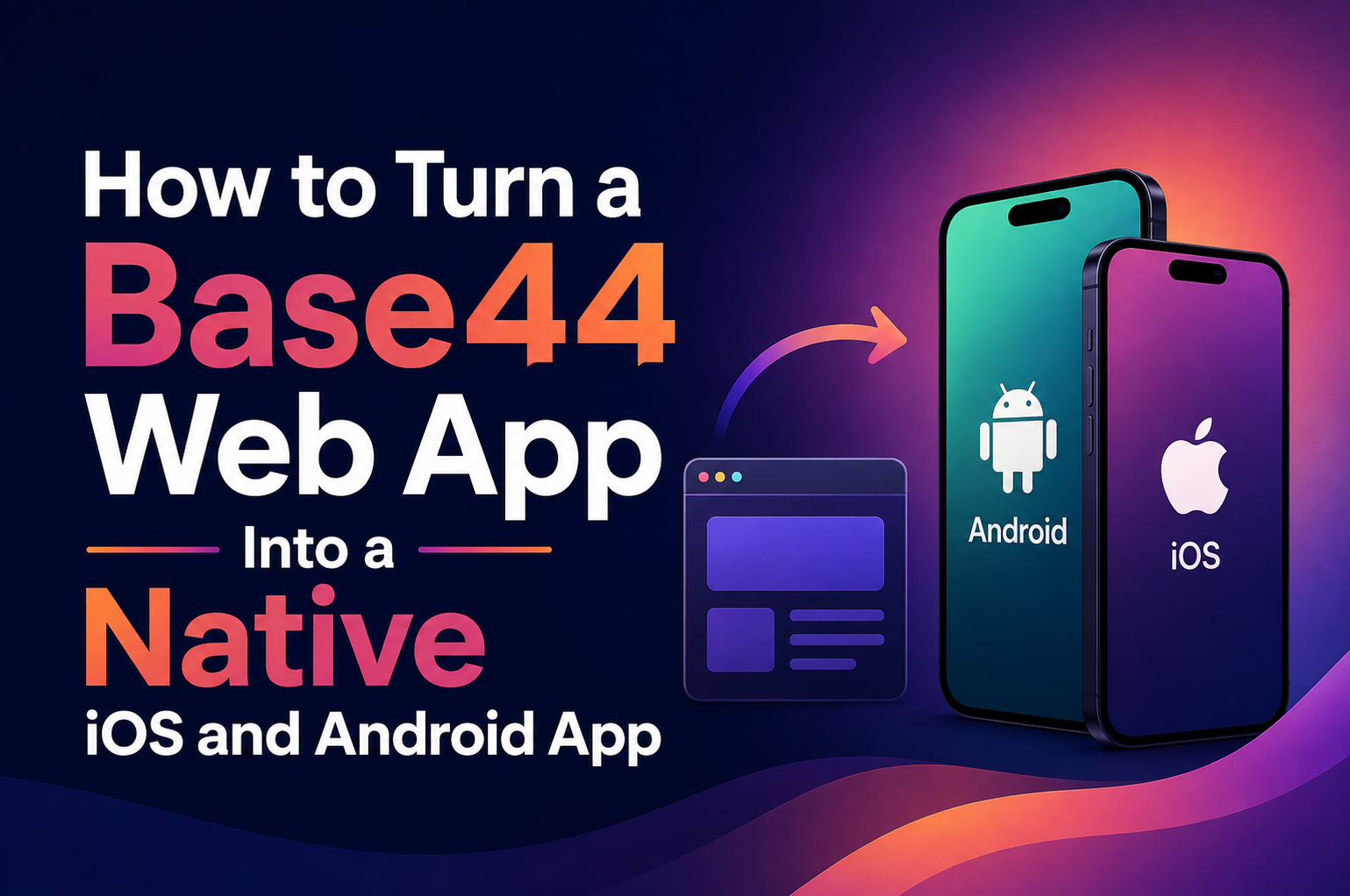
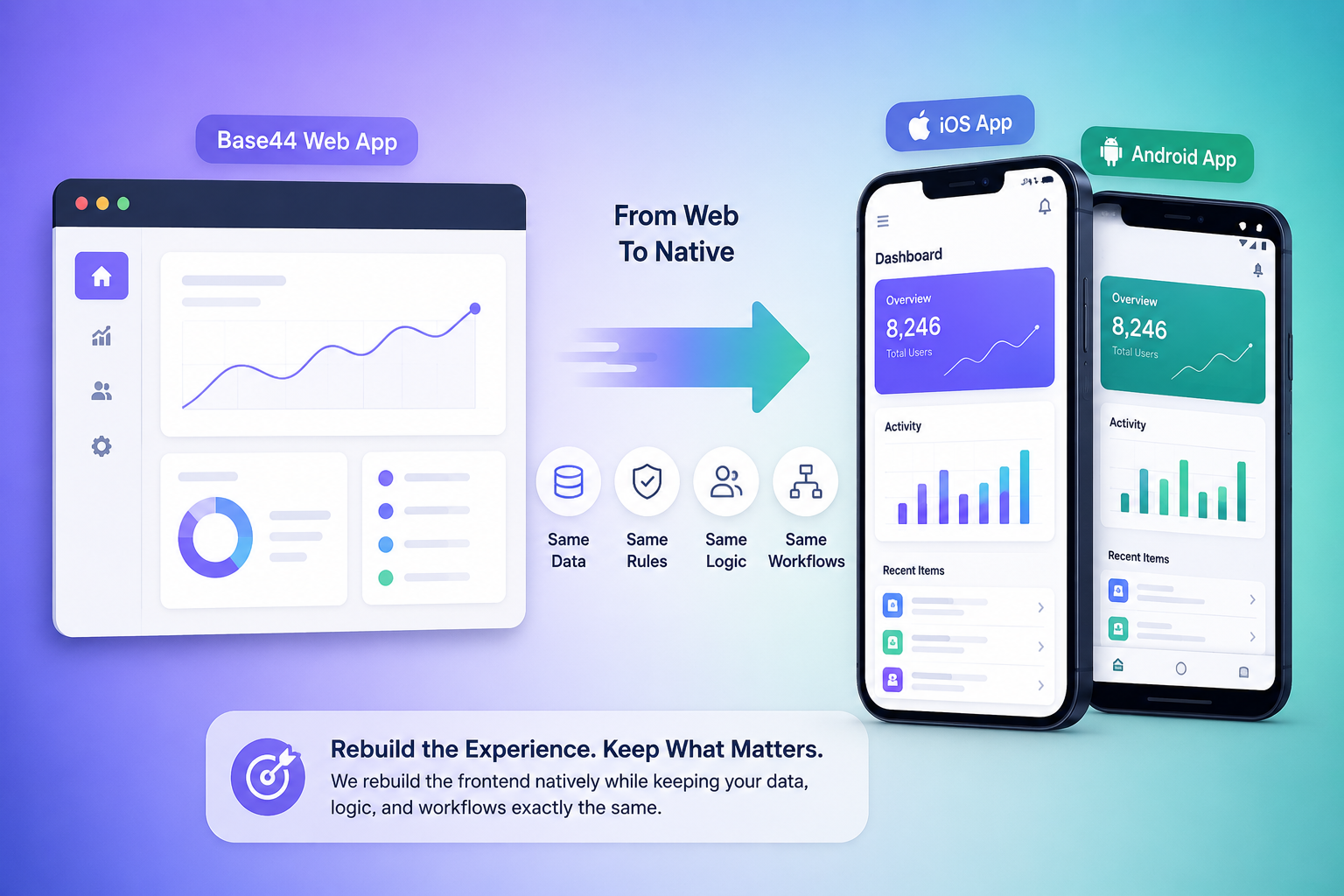
Yes, a Base44 web app to mobile transition is achievable, but it is a rebuild, not an export button. Base44 apps run on a web-first architecture, generated from prompts and assembled for browsers. Native iOS and Android apps use a different rendering engine, navigation model, and device hardware access entirely. What carries over is the product thinking: data model, user roles, business rules, and screen sequence. What does not carry over is the actual web code. Any agency promising an instant convert Base44 website to app shortcut without touching the frontend is overselling what is technically possible. A properly scoped Base44 app native iOS development project treats the existing Base44 build as a detailed specification rather than a codebase to reuse, and reconstructs the frontend natively while keeping everything underneath it intact. The result of a good Base44 native mobile conversion is an app that behaves like it was built for a phone, because it was, not one that feels like a browser wearing an app icon. This is the core reasoning behind every Base44 web app to mobile engagement ArixLabs runs, and it applies the same way whether the project is framed as Base44 app native iOS development, Base44 app Android development, an effort to convert Base44 website to app, a full Base44 native mobile conversion, or a founder's own plan to turn Base44 into mobile app form on their own timeline.
3. How do you convert Base44 project to iOS and Android?
The short version: audit, map, rebuild, connect, test. First, the existing Base44 project gets audited screen by screen, cataloguing every flow, form, and integration point so nothing gets missed during the Base44 native mobile conversion. Second, that catalogue becomes a native architecture plan, typically Flutter, which ships one codebase across both the Base44 app native iOS development track and the Base44 app Android development track at once instead of building two separate apps from scratch. Third, developers rebuild the interface using native components, respecting iOS gesture conventions and Android's back-button behavior. Fourth, the new app connects to a backend, either through the existing Base44 backend's APIs or through a dedicated service layer sized for mobile traffic.
3.1 Can a Base44 backend support a native app?
In most cases yes, provided the API layer is documented well enough to handle native request patterns, offline retries, and push-triggered syncs without falling over under normal mobile usage. Fifth, everything gets tested on real devices under real network conditions before any store submission, since a simulator never catches the issues that surface on an actual phone with a weak signal. Teams that skip steps in this sequence usually end up redoing the Base44 app Android development work a second time once bugs surface in production, which costs more time than doing the Base44 app native iOS development groundwork properly the first time around. None of these five steps change based on labels: a Base44 web app to mobile project, a Base44 app native iOS development sprint, a Base44 app Android development sprint, an attempt to convert Base44 website to app, a formal Base44 native mobile conversion, or a founder simply trying to turn Base44 into mobile app form all move through the same audit-map-rebuild-connect-test sequence.
4. What is the process for taking Base44 to mobile?
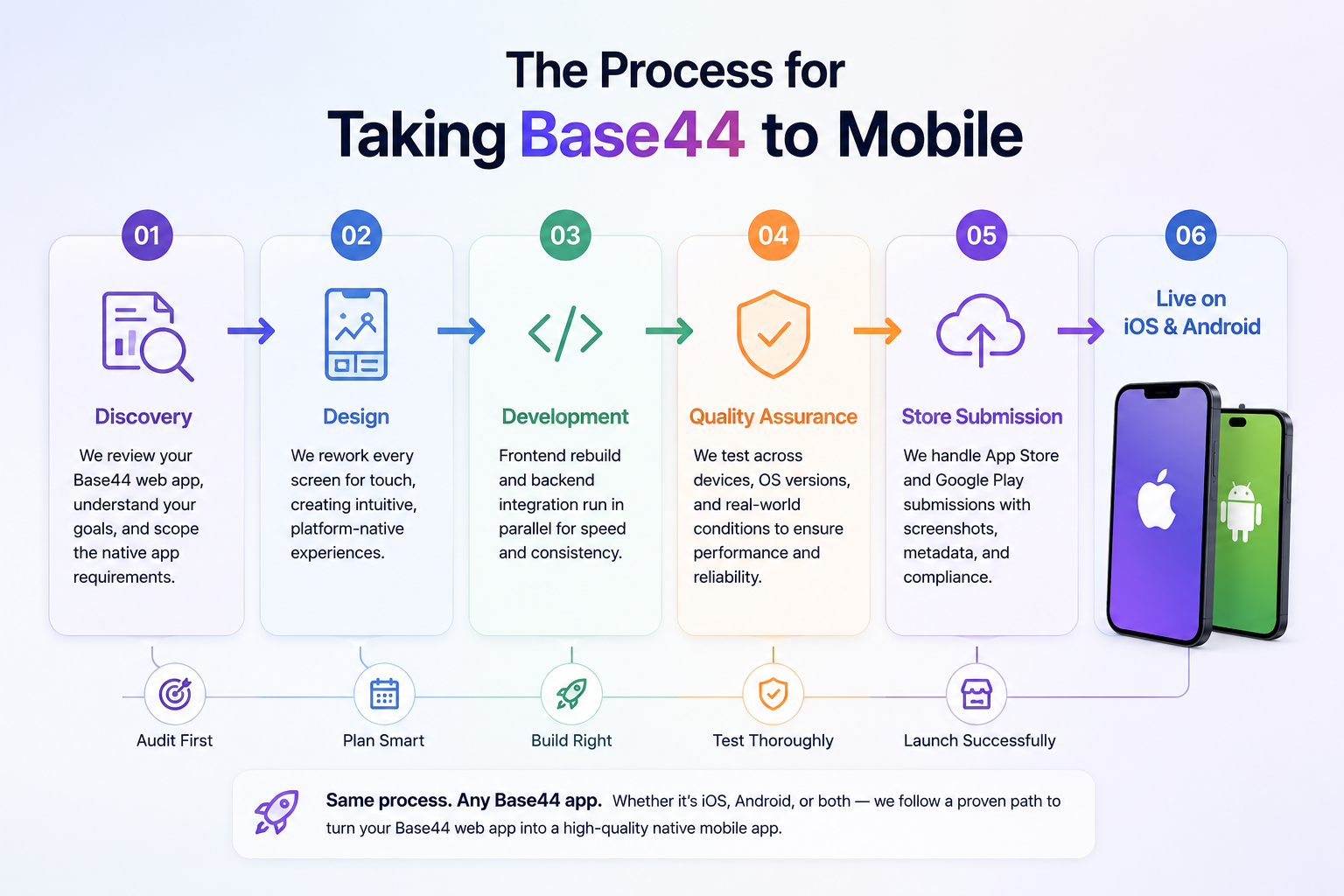
Taking Base44 to mobile follows a repeatable sequence rather than a one-off experiment. Discovery comes first: the team reviews the current Base44 build, talks through what is working, and scopes exactly what the native version needs to do differently from the original Base44 web app to mobile starting point. Design comes next, reworking every screen for touch targets and platform-native patterns instead of pointer-and-click assumptions from the original web layout. Development follows, split between frontend rebuild and backend integration running in parallel, which is exactly how a serious Base44 native mobile conversion should be staffed. Quality assurance follows, covering functional, device-specific, and performance testing under weak signal or low battery conditions. Store submission closes the process, with Apple's App Store and Google Play each carrying their own review requirements, screenshots, and metadata rules that any convert Base44 website to app submission has to satisfy first. A well-run Base44 app Android development track and its iOS counterpart typically move side by side rather than one after the other, since Flutter shares logic across both from day one. This is where ArixLabs earns its reputation: the process stays the same regardless of how unusual the original Base44 build is, because the audit-first approach adapts to whatever exists already, and the goal to turn Base44 into mobile app form never gets shortcut along the way. That sequencing holds whether the assignment is described as a Base44 web app to mobile migration, a Base44 app native iOS development build, a Base44 app Android development build, a request to convert Base44 website to app, a scoped Base44 native mobile conversion, or an early-stage plan to turn Base44 into mobile app form before the next fundraising round.
5. What changes when moving Base44 to native?
Three things change immediately: the interface, the performance profile, and the device access.
5.1 How should Base44 screens be adapted for mobile?
Every screen needs a fresh pass on layout, because a page designed for a mouse and a wide browser window does not translate directly onto a five-inch touchscreen. Buttons get larger, navigation collapses into tab bars or drawers, and forms get restructured to cut down on typing when only a small keyboard is available, all part of what makes a Base44 web app to mobile rebuild feel native instead of shrunk. Performance shifts too: native apps launch instantly instead of waiting on a browser fetch, and cache data locally so they keep working on a spotty connection.
5.2 What happens to Base44 authentication on mobile?
Login typically moves from web-based sessions to token-based authentication stored securely on the device, often paired with biometric unlock so returning users are not retyping a password every time they open the app. Device access is the third shift, and arguably the biggest one: a native app resulting from a Base44 native mobile conversion can request camera access, location, contacts, and push notification permissions that a browser-based Base44 app was never able to reach, opening up entire feature categories that simply did not exist before the Base44 app native iOS development build replaced the original web-only version. These shifts show up regardless of whether a team calls the work a Base44 web app to mobile rebuild, a Base44 app native iOS development effort, a Base44 app Android development effort, a project to convert Base44 website to app, a documented Base44 native mobile conversion, or the simple decision to turn Base44 into mobile app form for the first time.
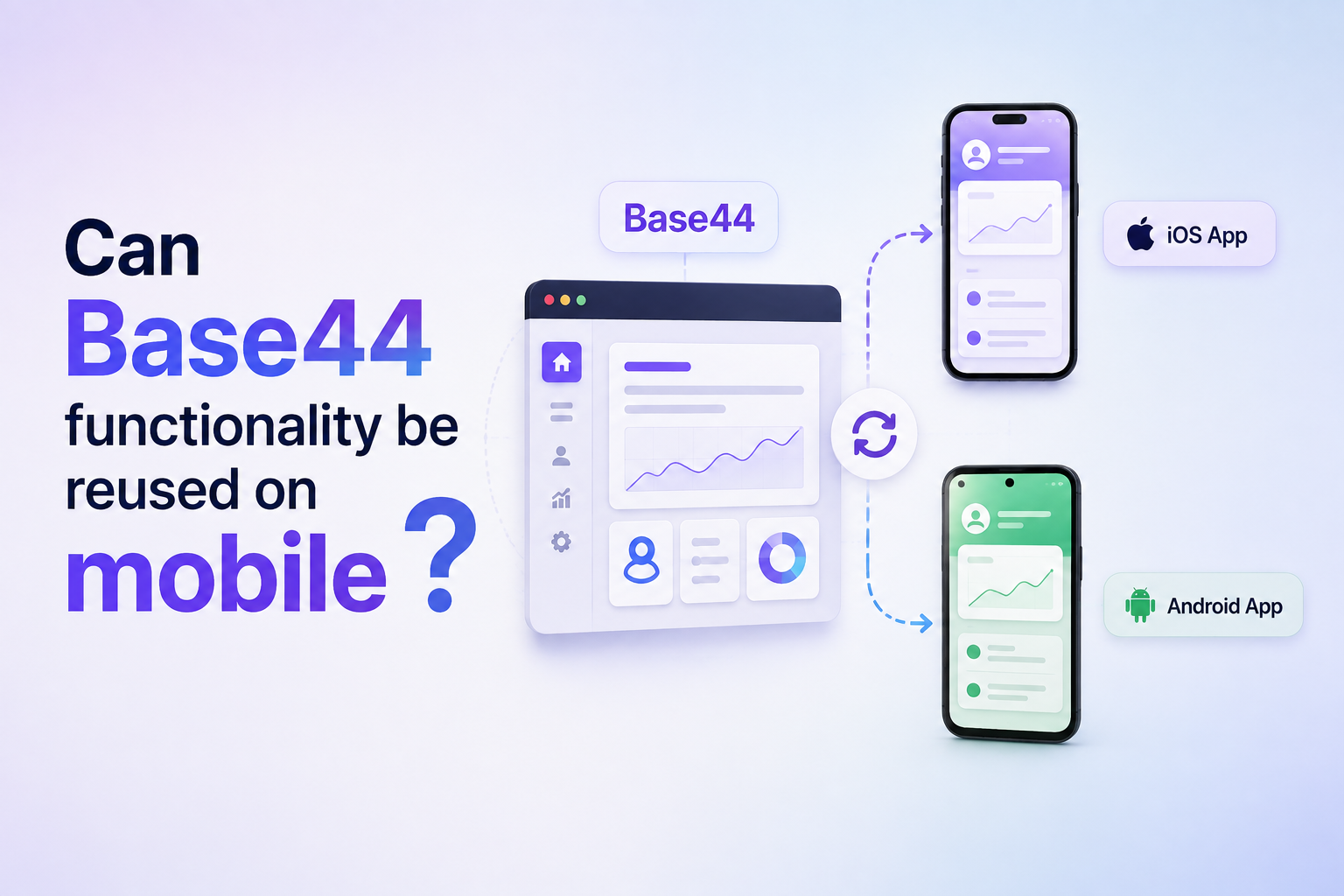
6. Can Base44 functionality be reused on mobile?
Most of it, yes. The parts of a Base44 project worth preserving are rarely the screens themselves; they are the decisions baked into those screens. User roles, permission structures, form validation rules, and workflow sequencing all transfer over cleanly because they represent business logic rather than interface code tied to a browser, which is a big part of why a Base44 web app to mobile rebuild is faster than starting a mobile app from a blank page.
6.1 Can Base44 payments work in native apps?
Payment flows need adjustment rather than a full rebuild in most Base44 web app to mobile projects. Stripe and Razorpay both offer native SDKs that plug into a mobile app more securely than a web checkout dropped inside a mobile browser, and the native SDK also satisfies payment policies that some web-embedded checkouts quietly violate.
6.2 Which native features can extend Base44?
Push notifications, offline data access, background location, and biometric login are the additions most founders request once they turn Base44 into mobile app form, since none of these exist meaningfully inside a browser-based product. ArixLabs typically maps out which of these extensions actually matter for a given product before writing a single line of native code, so the turn Base44 into mobile app rebuild adds real capability instead of just repackaging the same experience in a different wrapper, and the Base44 app Android development side gets the same feature treatment as iOS rather than trailing behind it. The reuse story stays consistent across a Base44 web app to mobile rebuild, a Base44 app native iOS development track, a Base44 app Android development track, a plan to convert Base44 website to app, a full Base44 native mobile conversion, or a founder's own attempt to turn Base44 into mobile app form without outside help.
7. How long does Base44 mobile development take?
Timelines depend on screen count and backend depth, but most focused MVP projects on Base44 land between six and twelve weeks from kickoff to store submission. A smaller app with a handful of screens moves faster, while a product with real-time features, complex payments, or multiple user roles takes longer to test before a Base44 web app to mobile launch goes live. Rushing a convert Base44 website to app timeline tends to backfire, since App Store rejections over incomplete permission handling can add weeks back onto a plan that looked fine on paper. Working with a team that has already run a Base44 native mobile conversion before shortens this window, because founders who want to turn Base44 into mobile app form benefit from a sequence that is already proven rather than worked out for the first time on their clock. ArixLabs typically shares a week-by-week plan at kickoff so a founder knows exactly what stage the convert Base44 website to app project is at without having to ask, whether the current focus is the Base44 app native iOS development build or the parallel Base44 app Android development track. Founders who want to turn Base44 into mobile app form on a fixed timeline should ask any agency for that same week-by-week breakdown before signing on. Every timeline estimate above assumes a real Base44 web app to mobile scope, whether the client calls it Base44 app native iOS development, Base44 app Android development, a plan to convert Base44 website to app, a scheduled Base44 native mobile conversion, or simply the fastest way to turn Base44 into mobile app form before a launch date.
ArixLabs runs this exact playbook for founders who need a Base44 web app to mobile migration handled end to end, whether that means Base44 app native iOS development, Base44 app Android development, help to convert Base44 website to app, a full Base44 native mobile conversion, or simply the fastest path to turn Base44 into mobile app form without losing the progress already made on Base44.
8. Frequently Asked Questions
1. Can Base44 apps run on phones?
Base44 apps run inside a mobile browser on a phone, but that is different from running as an installed native app. A true native build requires a separate development process, not just an attempt to convert Base44 website to app by resizing the existing web layout to fit a smaller screen.
2. Can Base44 create an iPhone application?
Base44 itself does not generate a native iPhone application; it produces a web app. Turning that into a real iOS app that runs through Apple's App Store requires rebuilding the frontend in a native framework like Flutter as part of a proper Base44 app native iOS development engagement.
3. Can a Base44 project support native mobile?
Yes. The backend, data model, and business logic behind a Base44 project can support a native mobile frontend, as long as the API layer is stable and documented well enough for a mobile client to connect to it reliably during a Base44 native mobile conversion.
4. Should I build separately from Base44?
For the native mobile version, yes. The web app can stay live on Base44 while a separate Base44 app Android development and iOS codebase is built, so anyone planning to turn Base44 into mobile app form keeps the original product running throughout development instead of going dark during the rebuild.
%20(1).jpg)

View more blogs





.png)
.png)


Ready to develop your own product? Get in touch today!
Get in Touch