

.jpg)


1. Building Your Own AI Assistant App in 2026
Building a Siri-like app used to require complex development and advanced AI expertise. Today, with FlutterFlow and modern AI tools, creating an intelligent assistant is far more accessible. Developers can visually design interfaces, connect AI models, and launch functional applications without writing extensive code.
The key is to start simple. Most apps don't need to replicate Siri entirely—features like answering questions, guiding users, or automating small tasks can already provide significant value. By focusing on core functionality first, teams can launch faster, gather feedback, and improve their apps over time.
2. What Is a Siri Clone App?
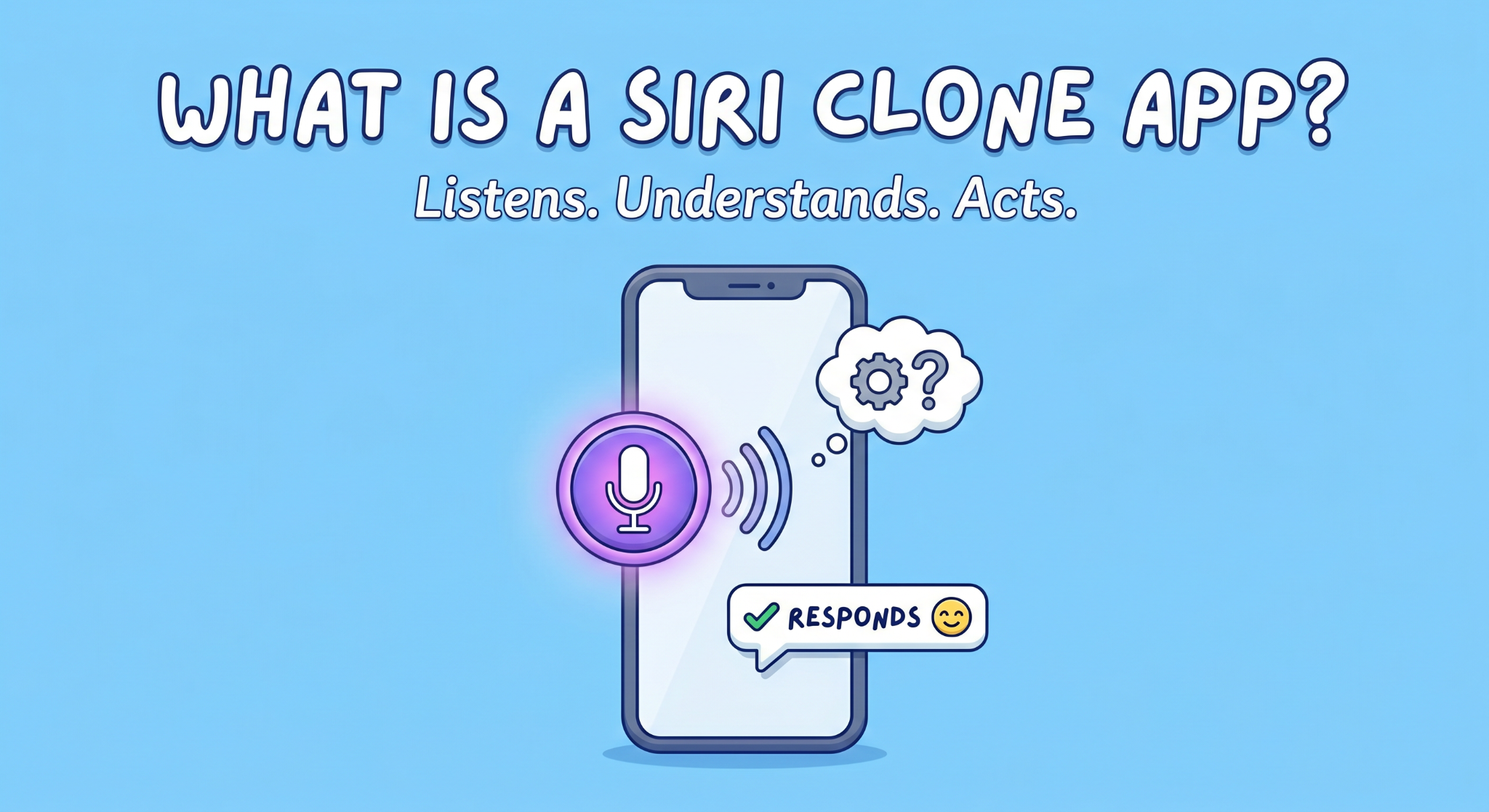
At its core, a Siri-like app just does three things: listens, figures out what you meant, and responds.
That’s the simple version. The real thing isn’t always that clean.
Sometimes it gets the input wrong. Sometimes the response feels off. And that’s normal, most apps aren’t trying to match Siri anyway. They’re built for one specific job.
Think about it. A support app that answers user questions. Or a small tool that lets you speak instead of typing. Even something basic like “open this page” or “search for this” counts. That’s already enough to fall under Siri clone app development.
Also, voice is just one part of it. What matters more is how the app handles what you said. That’s where the actual logic sits, deciding whether to reply, fetch data, or trigger an action.
And this is where most people overcomplicate things. They imagine a full assistant with deep conversations and memory. In reality, most successful apps are much narrower. They do fewer things, but they do them well.
Start there. It’s easier to build, and honestly, more useful.
3. Core Features Every Voice Assistant App Needs
This is where most people either overbuild… or miss the basics.
You don’t need 20 features. You need a few that actually work well. These are the core voice assistant app features you can’t skip:
Voice input (or text fallback)
Users should be able to speak naturally. But here’s the thing, voice doesn’t always work perfectly. Good apps quietly allow text input too. No friction.
AI response system
This is the brain. The app takes what the user said and generates a response. In most cases, this is where chatbot integration in apps comes in, handling conversations, answering queries, or guiding users.
Text-to-speech (optional, but useful)
If your app talks back, it feels more like an assistant. Not mandatory. But it improves the experience, especially for hands-free use.
Basic context handling
Even simple apps should remember short context. If a user asks a follow-up question, the app shouldn’t act like it forgot everything.
Action triggers
This is what makes the app actually useful. Opening a screen, fetching data, saving something, small actions matter more than fancy conversations.
A lot of apps try to sound smart. The better ones focus on being useful.
4. How a Voice Assistant App Works
The flow is actually pretty straightforward once you see it once.
User speaks. The app captures it. Then everything happens in the background.
First, the audio gets converted into text. That part depends on a speech API, nothing fancy to manage on your side, but it needs to be accurate enough.
Then comes the important bit. The app takes that text and sends it to an AI service. This is where AI mobile app development starts to feel real, because the app isn’t just storing data, it’s interpreting it.
The AI figures out what the user meant and decides on a response. Sometimes it’s just text. Other times it triggers something inside the app.
That’s where chatbot integration in apps quietly does most of the work. It handles the conversation flow, even if the app itself looks simple from the outside.
Finally, the response comes back. It shows on screen, or gets converted into voice if you’ve added that layer.
That’s the loop:
input → process → respond → repeat
Sounds simple. It usually isn’t at first. But once the flow is set up, everything else becomes easier to tweak.
5. Tools Needed for AI Mobile App Development
You don’t need a huge tech stack to get this working. That’s the part most people get wrong.
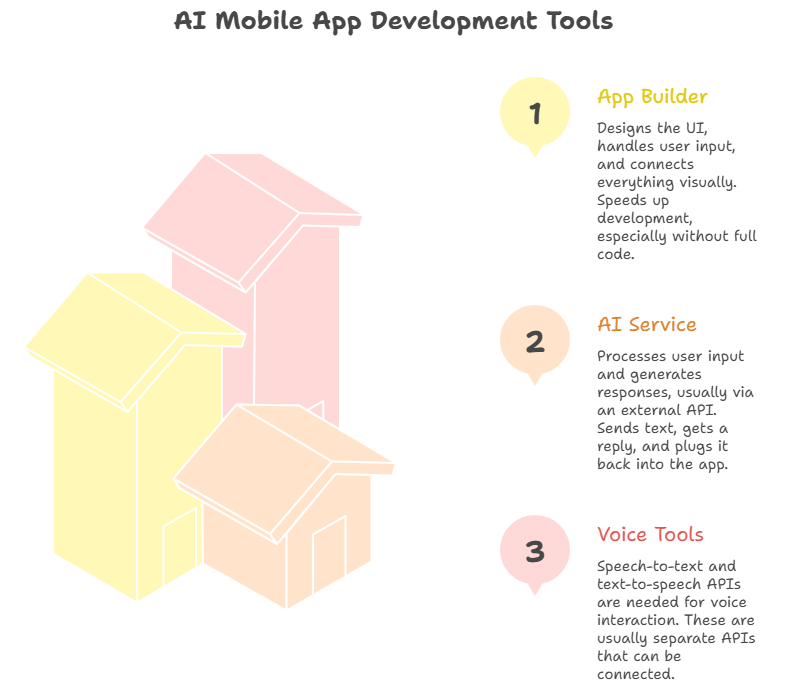
A basic setup usually comes down to three pieces.
App builder (frontend)
This is where FlutterFlow app development fits in. You design the UI, handle user input, and connect everything visually. It speeds things up a lot, especially if you’re not writing full code.
AI service (the “thinking” part)
This is what processes user input and generates responses. Most apps connect to an external API for this. You send text, get a reply, and plug it back into your app. That’s the core of AI mobile app development right now.
Voice tools (optional but common)
If you’re working with voice, you’ll need speech-to-text and maybe text-to-speech. These are usually separate APIs. You just connect them, no need to build them yourself.
Put together, this setup works like a no-code AI app builder approach. You’re not creating AI from scratch. You’re connecting pieces that already exist.
That’s why people can build usable apps much faster now. The challenge isn’t the tools anymore, it’s how you use them.
6. Step-by-Step: Building a Siri Clone App
Most people expect a long process. It’s not that long, but it’s also not as linear as guides make it sound.
You’ll probably start with the UI. A basic screen, a mic button, maybe a text box. Nothing impressive at this stage. That’s fine. With FlutterFlow app development, you can get this done quickly and move on instead of overthinking design.
Then comes input. Voice looks cool, but it can be unreliable. In early versions, a simple text input often works better. You can layer voice on top later.
The real shift happens when you connect the AI. You send user input, get a response back, and suddenly the app feels alive. That’s the core of Siri clone app development, not the UI, not the voice, but that back-and-forth loop.
After that, things get messy. You’ll try to make the app “do something” with the response, open a screen, fetch data, maybe trigger an action. Sometimes it works. Sometimes it doesn’t, and you end up rewriting parts of the flow.
Testing takes longer than expected. Small issues keep showing up. Responses feel slightly off. Timing is weird. You fix one thing, another breaks.
7. Conclusion
Building an AI assistant app used to be a heavy technical project. Now it’s more about how you put the pieces together.
With FlutterFlow app development, a few APIs, and a clear use case, you can build something functional without overcomplicating it. That’s how most successful apps start, small, focused, and improved over time.
If you’re exploring Siri clone app development, the best move isn’t to build everything at once. Start with a simple version, see how people use it, and refine from there.
And if you want to speed things up or avoid common mistakes, working with a team like Arixlabs can help you get there faster, with fewer rewrites along the way.
%20(1).jpg)

View more blogs

.png)

.png)


.png)
.png)
Ready to develop your own product? Get in touch today!
Get in Touch