

.jpg)


1. AI App Development in Australia is Changing Fast
AI is no longer a future trend in Australia—it's becoming a business necessity. From startups to enterprises, organizations are racing to automate processes, improve customer experiences, and launch AI-powered products faster than ever before.
This growing demand is driving rapid growth in AI app development across Australia. However, traditional development can be time-consuming, requiring extensive engineering, backend infrastructure, and long testing cycles. As a result, many teams are turning to no-code and low-code solutions to validate ideas quickly before scaling.
This is where FlutterFlow AI app development stands out. By combining visual development with AI integrations, businesses can build, test, and iterate faster—reducing time-to-market while focusing on innovation rather than infrastructure.
2. What is FlutterFlow AI App Development (And Why It Matters)
Most people hear FlutterFlow AI app development and assume it’s some advanced, developer-only setup. It’s actually the opposite.
You’re not writing everything from scratch. You’re assembling it.
Inside FlutterFlow, you design your app visually—screens, buttons, flows. Then you connect logic and APIs where needed. That’s why it’s often called a no-code AI app builder. Not because there’s zero logic involved, but because you’re not buried in code to make things work.
Now, where does AI come in?
You don’t train models here. You plug into them.
APIs handle the intelligence—text generation, chat, automation—and your app becomes the interface. That’s it. Simple in theory, surprisingly powerful in practice.
This is also why teams try to build AI apps without coding first. It gives them something usable, fast. Not perfect. But real enough to test with users.
Compared to traditional development, the shift is subtle but important. You spend less time setting things up and more time figuring out if the product actually makes sense.
Still, it’s not a shortcut for everything. If your app needs deep customization or heavy backend logic, you’ll hit limits. But for getting an idea off the ground? It changes the pace completely.
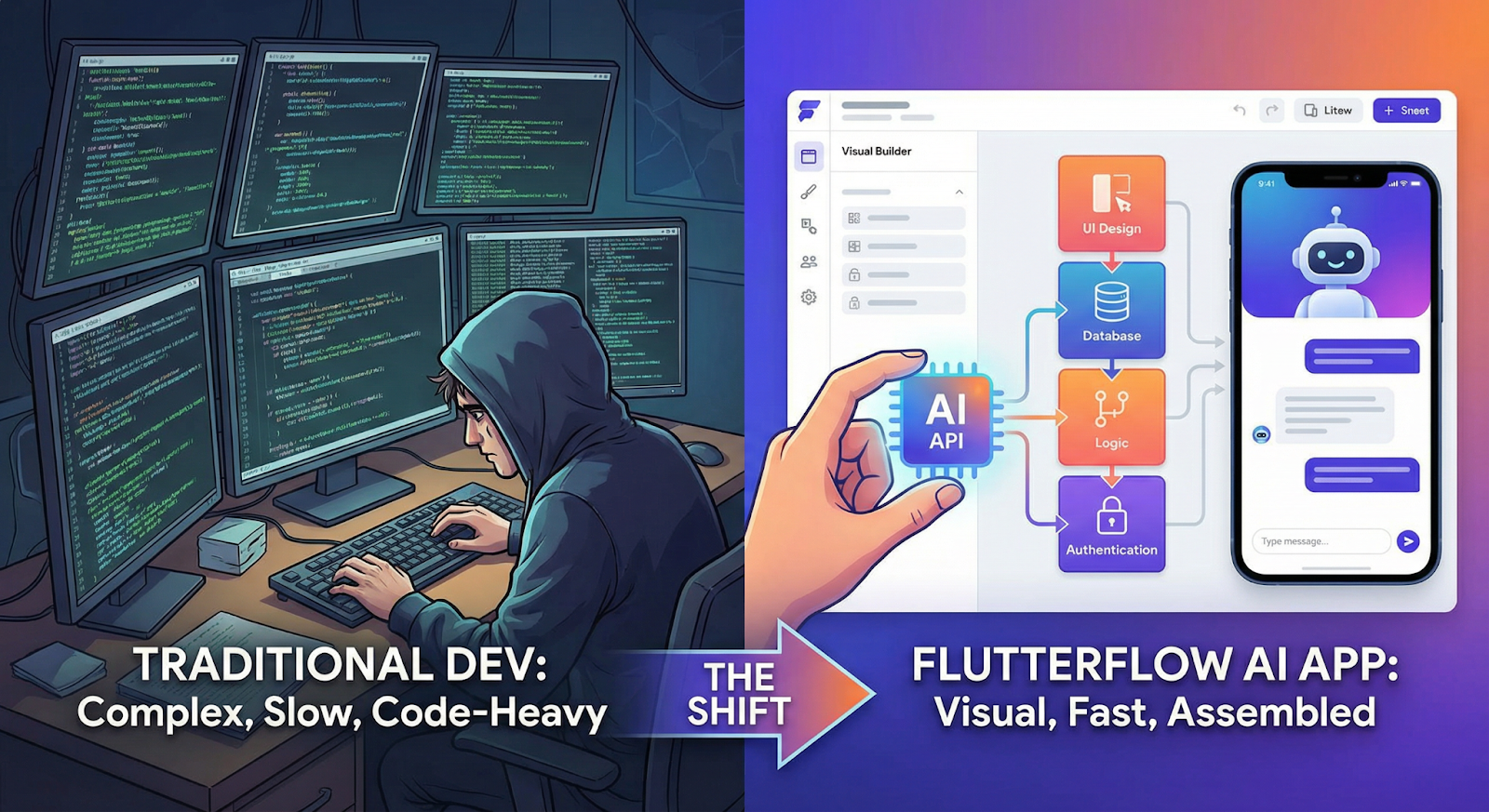
3. How to Build AI Apps with FlutterFlow (Step-by-Step Flow)
The process isn’t complicated—but people often overthink it. You’re not building AI from scratch. You’re wiring things together in a smart way.
Here’s how FlutterFlow AI app development usually plays out in real projects:
1. Start with the use case
Not “let’s build an AI app.” That’s too vague. Instead—what should the AI actually do? Answer questions? Generate content? Automate a task? The clearer this is, the easier everything else becomes.
2. Design the app visually
Screens, user flows, basic interactions—this all happens inside FlutterFlow. No code yet. Just structure. This is where FlutterFlow for startups becomes useful—they can shape the product without waiting on developers.
3. Connect AI APIs
This is the core step. You plug in external AI services (like text or chat APIs). The app sends input, gets a response, and displays it. That’s how most teams build AI apps without coding—by using existing intelligence instead of creating it.
4. Add backend logic
For storing data, managing users, or triggering actions, you connect a backend (often Firebase). This is where things start to feel more “real.”
5. Test fast, then iterate
You don’t wait for perfection. You launch a working version, see how users respond, and improve from there.
That’s the flow. Simple on paper—but powerful when done right.
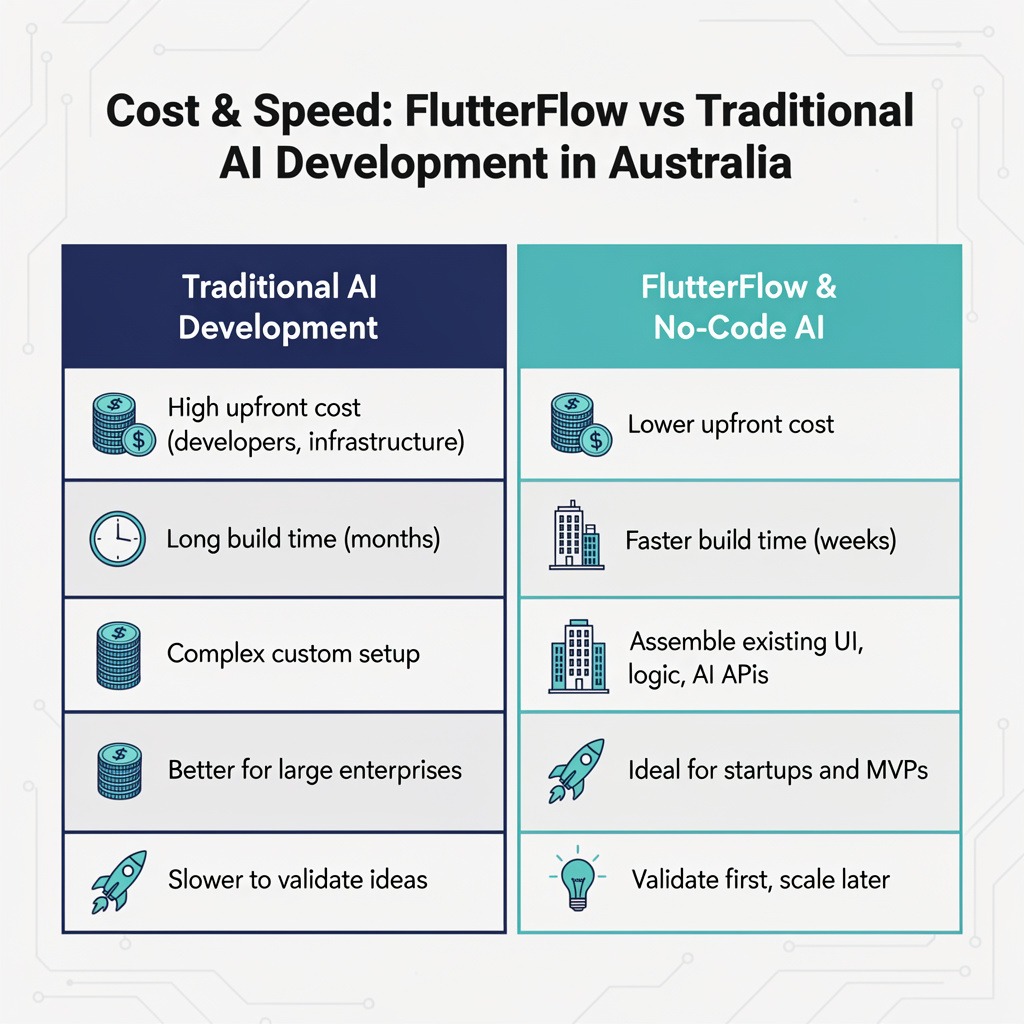
4. Cost & Speed: FlutterFlow vs Traditional AI Development in Australia
Let’s talk numbers—because this is usually where decisions are made.
In Australia, traditional AI app development Australia projects can get expensive quickly. Hiring developers, setting up infrastructure, and building everything from scratch adds up. Not just in cost, but in time.
And time is often the bigger problem.
A typical custom build can take months before you even have something usable. That’s fine for large enterprises with long roadmaps. But for startups? That delay can kill momentum.
This is where tools like a no-code AI app builder shift the equation.
Instead of building everything manually, teams focus on assembling what already exists—UI, logic, AI APIs. That cuts both development time and cost significantly. You’re not paying for complexity you don’t need yet.
For example, many teams using FlutterFlow for startups can go from idea to MVP in weeks, not months. It’s not perfect—but it’s fast enough to test and improve.
Of course, there’s a trade-off. As the product grows, you might need more customization, and costs can increase again. But by then, you’re building something validated—not guessing.
And that’s the real advantage: spending less upfront, learning faster, and scaling with clarity.
5. Scalability, Enterprise Use & Limitations
This is where most people pause—can this actually scale, or is it just for MVPs?
The honest answer: it depends on how you use it.
For many use cases, FlutterFlow AI app development holds up well. Apps with standard workflows, API-driven AI features, and structured data can scale without issues—especially when paired with solid backend services.
That’s why even teams working on AI app development Australia projects at a larger level are starting with FlutterFlow. Not because it replaces full engineering, but because it gets them to a working product faster.
But there are limits. And it’s better to be clear about them.
If your app needs highly custom AI pipelines, complex real-time processing, or deep backend logic, you’ll start to feel friction. This is where a FlutterFlow development agency in Australia often steps in—to extend what’s possible or decide when to move beyond the platform.
Another thing: performance isn’t just about the front end. Most AI-heavy apps rely on external APIs anyway, so the real bottleneck is often the backend, not FlutterFlow itself.
So, can it scale? Yes—for a large range of products.
Should it be your final architecture for every enterprise app? Not always.
The smarter approach is simple: start fast, validate, and then evolve the stack when the product demands it.
6. Why Businesses Choose a FlutterFlow Development Agency in Australia
A lot of teams start with good intentions—“we’ll just build it ourselves.” And for small experiments, that works.
But once the app starts growing, things get messy.
Integrations break. Logic becomes harder to manage. Performance issues show up in places you didn’t expect. That’s usually the point where businesses look for a FlutterFlow development agency in Australia.
Not because FlutterFlow is difficult—but because building a solid product still requires experience.
An agency helps in areas most teams underestimate:
Structuring the app properly from the start
Handling "AI integrations" cleanly (no patchwork setups)
Managing backend logic and scalability
Avoiding rebuilds later
This is especially relevant for teams using "FlutterFlow" for startups. Speed is great—but without the right structure, you end up rebuilding the same product twice.
There’s also a strategic layer here. Agencies don’t just build—they guide decisions. What should stay in FlutterFlow? What should be custom? When should you scale?
And that matters more than the tool itself.
So while it’s possible to build AI apps without coding, building them well—and making sure they last—is a different game.
7. The Future of AI + No-Code in Australia
The future of AI app development in Australia is taking shape, and one trend is becoming clear: build fast, validate early, and scale strategically. While traditional development remains important, it is no longer the default starting point for many teams.
Startups are increasingly using platforms like FlutterFlow to test ideas quickly without heavy upfront investment, while enterprises are experimenting with smaller AI initiatives before committing to large-scale projects. This shift is driving the growth of FlutterFlow AI app development—not as a replacement for engineering, but as a faster path to innovation.
The teams that succeed will be those that move quickly, learn from real users, and scale with the right technology when the time is right.
%20(1).jpg)

View more blogs

.png)
.png)

Ready to develop your own product? Get in touch today!
Get in Touch