

1. Why Most EdTech Apps Fail to Scale
A founder once said, “The app worked perfectly… until 300 students joined at the same time.” That's a common challenge in EdTech.
Early versions often perform well with small user groups, but real growth introduces new demands—live sessions, content streaming, progress tracking, and constant data synchronization. Without planning for scale from the beginning, even well-built apps can struggle under increased usage.
This is why modern EdTech app development in Australia is shifting its focus from simply building quickly to building with scalability in mind. FlutterFlow enables teams to launch faster while creating a foundation that can support growth, ensuring that success doesn't become a performance problem later.
2. FlutterFlow: From Builder to Real App Platform
FlutterFlow used to be seen as a quick UI tool. Something you’d use to mock ideas, not ship real products.
That’s changed.
Teams are now building full apps with it , including education platforms. Not because it replaces everything, but because it speeds up the parts that usually slow teams down.
With FlutterFlow for education apps, you can move from idea to working screens fast. Test flows early. Fix things before they become expensive.
What actually makes it useful
It’s not just drag-and-drop.
You can connect logic, manage users, and handle data without setting up a full backend from scratch. That’s why many teams choose to build learning apps without coding in the early stages , it reduces time without blocking future growth.
Where people get confused
FlutterFlow isn’t a shortcut for bad planning.
If the structure is unclear , how users move, how data flows , the app will still feel messy. The tool doesn’t fix that. It just makes building faster.
Why it works well for EdTech
Education apps change often. New content, new formats, new features.
Using FlutterFlow EdTech app development, teams can adjust quickly without rebuilding everything. That flexibility makes a real difference once the app is live.
3. What Makes a Good EdTech App
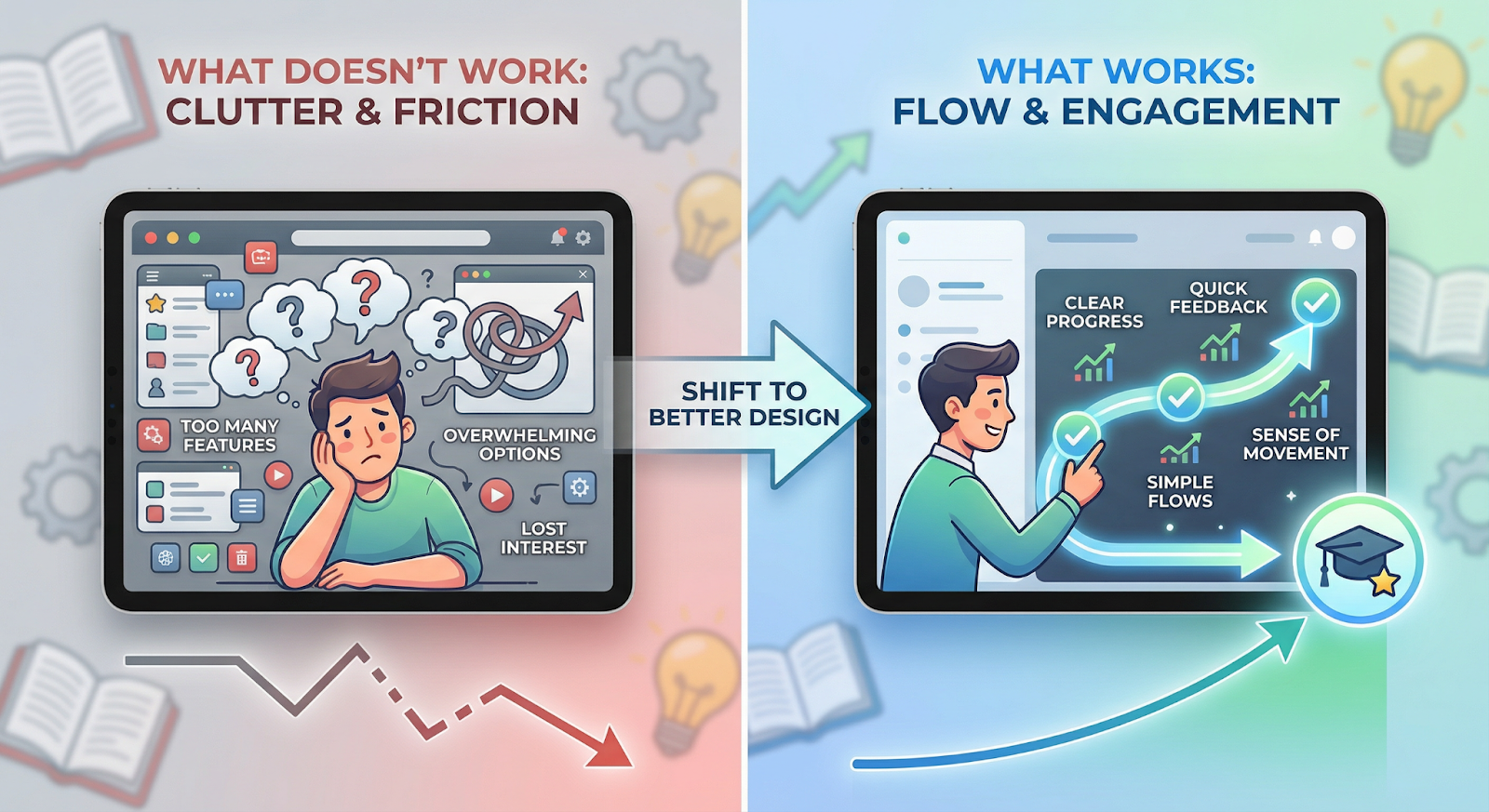
Most EdTech apps don’t fail because they’re missing features. They fail because they feel tiring to use.
You open the app, watch a lesson, maybe complete a quiz… and then drop off. Nothing pulls you back.
Good apps focus on flow, not just content
A solid education app isn’t just a collection of videos. It guides users.
Small things matter:
- Clear progress (what’s done, what’s next)
- Quick feedback after actions
- A sense of movement, not just consumption
When that’s missing, users lose interest fast.
Where most apps go wrong
They try to add everything at once.
More features, more screens, more options. But instead of improving the experience, it creates friction. Users get confused or overwhelmed.
What actually works
Simple flows. Clear structure. Fast interactions.
With FlutterFlow for education apps, teams can test these flows early , before scaling them. That helps avoid building features that look good but don’t actually improve learning.
At the end, a good EdTech app isn’t the one with the most features. It’s the one people keep coming back to.
4. Building with FlutterFlow
Building an EdTech app isn’t a straight line. It’s more like going back and forth until things start making sense.
Most teams don’t get it right on the first try , and that’s fine.
How it usually unfolds
You start with a rough idea. What the app should do, who it’s for. Then comes structure , screens, user flow, basic logic.
With FlutterFlow, you can quickly turn that into something usable. Not perfect, but real enough to test.
That’s where things get clearer.
You see where users get stuck. What feels unnecessary. What actually works.
What FlutterFlow simplifies
Instead of setting up everything from scratch, you:
- Build UI visually
- Connect data and logic without heavy coding
- Iterate quickly without breaking the whole app
This is why teams prefer FlutterFlow EdTech app development when speed matters early on.
But speed can mislead
Just because you can build fast doesn’t mean you should rush decisions.
If the flow is unclear or the structure is weak, you’ll end up reworking it later. The tool won’t stop you from making those mistakes.
How long does it take?
It depends on clarity.
A simple version can come together in a few weeks. But refining it , making it stable, usable, scalable , takes longer.
And that’s normal.
The goal isn’t to build fast. It’s to build something that doesn’t fall apart when people actually start using it.
5. Scaling Without Breaking Your App
You don’t notice scaling problems immediately.
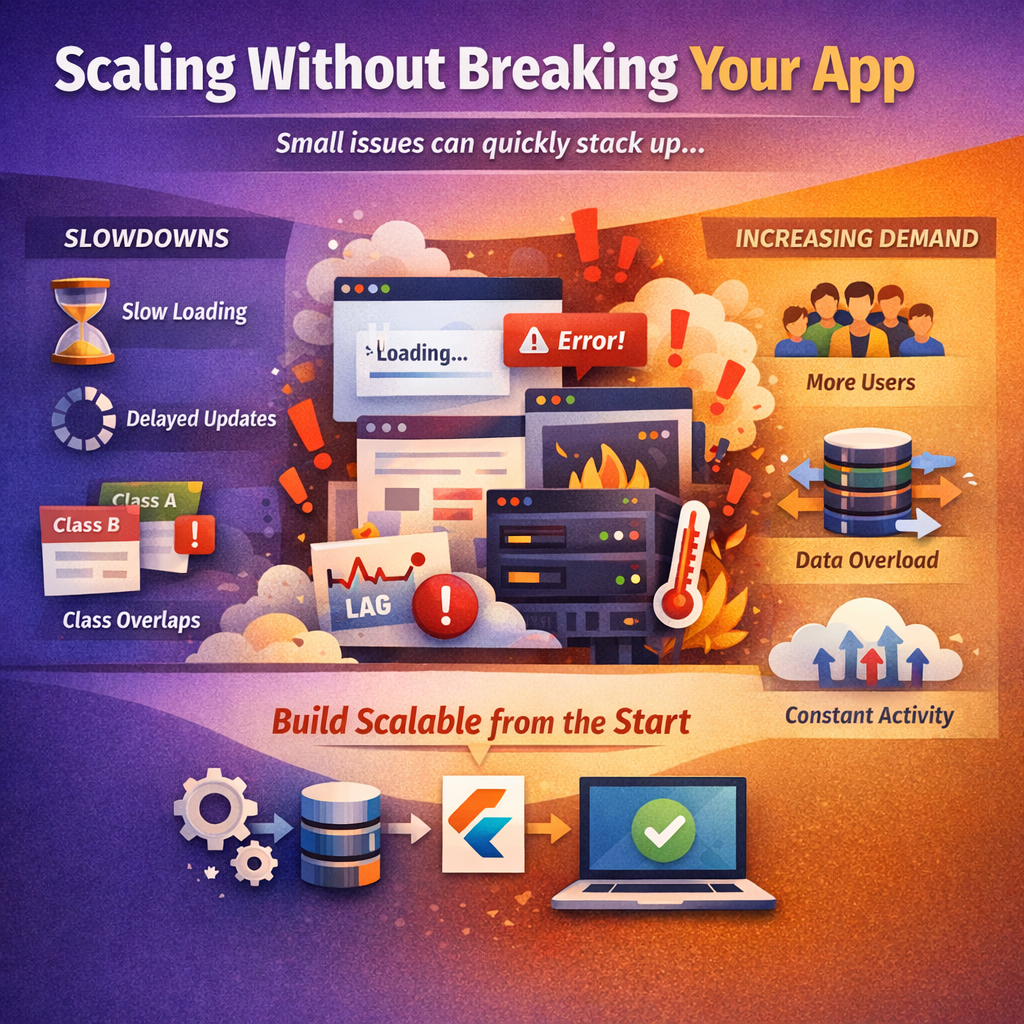
It starts small. A live class takes a second longer to load. Progress updates don’t reflect instantly. Nothing serious , just enough friction to feel off.
Then it stacks.
One class overlaps with another. More students join at the same time. The app is doing multiple things constantly , fetching data, syncing progress, loading content. That’s when it begins to struggle.
A lot of teams assume this is a “later” problem. It’s not. The behavior you see here usually comes from how the app was set up in the beginning.
EdTech apps are particularly sensitive to this. They’re not static. Things keep updating , user activity, lesson states, interactions. When too much happens at once, even small inefficiencies show up quickly.
That’s where education app scalability solutions quietly come in. Not as a big overhaul, but as early decisions , how data is structured, how requests are handled, how much the app tries to do at once.
With FlutterFlow EdTech app development, teams can think about these parts earlier, instead of reacting when "performance" drops.
Because once users start noticing delays, it’s already "late".
6. Cost of EdTech App Development in Australia
Cost is usually the first question. And also the most misleading one.
Because the real question isn’t “how much does it cost?” , it’s what are you actually paying for?
A typical EdTech app in Australia can vary a lot. A basic version might stay within a moderate budget, but once you add real features , user roles, content systems, live sessions , costs climb quickly.
Not just development. Maintenance, updates, backend usage , those keep adding up.
This is where things shift with FlutterFlow EdTech app development.
You’re not paying for every small change or iteration. Teams can build, test, and adjust without going through a full development cycle each time. That alone cuts a big part of the cost.
So the difference isn’t just lower cost. It’s better control over where your money goes, especially in the early stages of EdTech app development Australia.
It’s also why many teams choose to build learning apps without coding early on , not to avoid quality, but to avoid unnecessary spending before the product is validated.
That said, FlutterFlow doesn’t make everything “cheap.”
You still need:
- Clear planning
- Proper structure
- Backend setup that can handle growth
Skip those, and costs show up later , just in a different form. So the difference isn’t just lower cost. It’s better control over where your money goes, especially in the early stages of EdTech app development Australia.
7. FAQ
Do I need coding skills to build an EdTech app?
Not necessarily. Tools like FlutterFlow make it possible to get a working app without deep coding knowledge. But you still need to think through structure and user flow.
Is FlutterFlow better than traditional app development?
Depends on the use case. For faster builds and iteration, yes. For highly complex systems, traditional development might still be a better fit.
Can FlutterFlow apps handle thousands of users?
They can , if the backend and data handling are set up properly. The tool isn’t the limit; the architecture is.
What is the best platform to build education apps quickly?
Right now, FlutterFlow for education apps stands out for speed and flexibility, especially when you want to test and improve the product continuously.
%20(1).jpg)

View more blogs
.jpg)

.png)



.png)

.png)
Ready to develop your own product? Get in touch today!
Get in Touch