



1. The Rise of No-Code: Can Founders Build Apps Without Coding?
Building an app once meant hiring developers and waiting months. Not anymore.
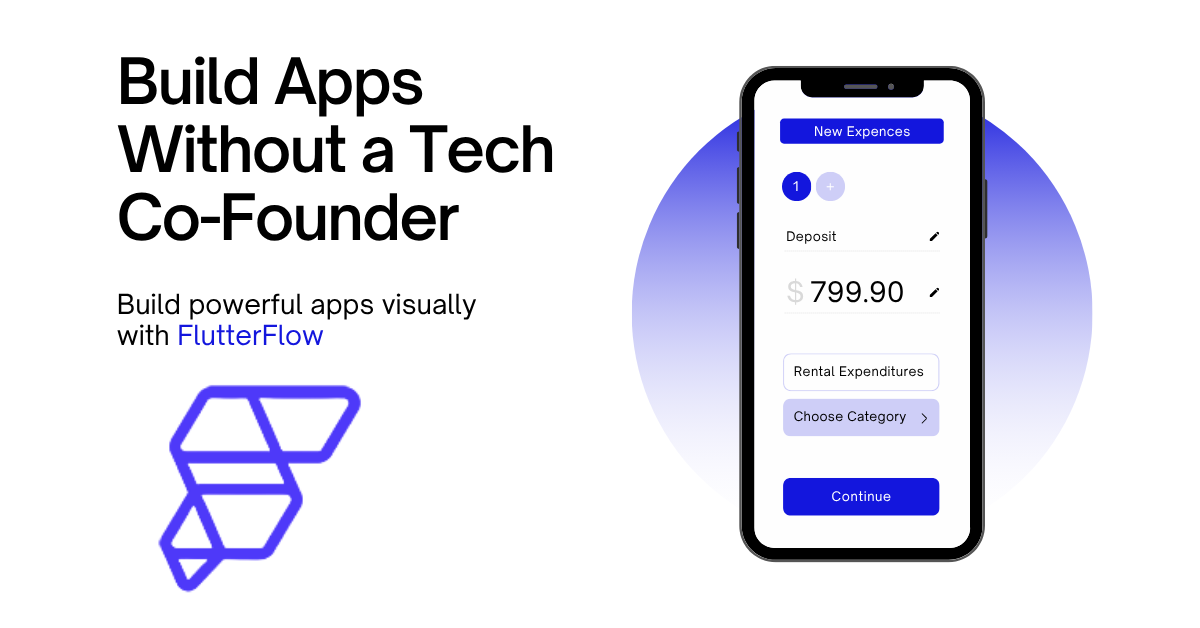
In 2026, founders can build app without coding using tools designed for speed and simplicity. But no-code doesn’t remove the effort, it shifts it. You’re still deciding what to build, how users move through it, and how everything connects.
That’s where FlutterFlow for non-technical founders becomes useful. It lets you design apps visually instead of writing code.
So yes, you can build mobile app without coding today. The tools are ready.
The real challenge? Building something people actually want.
2. What Is FlutterFlow and How Does FlutterFlow App Development Work?
Think of FlutterFlow app development like this, you’re building an app, just not typing code for it.
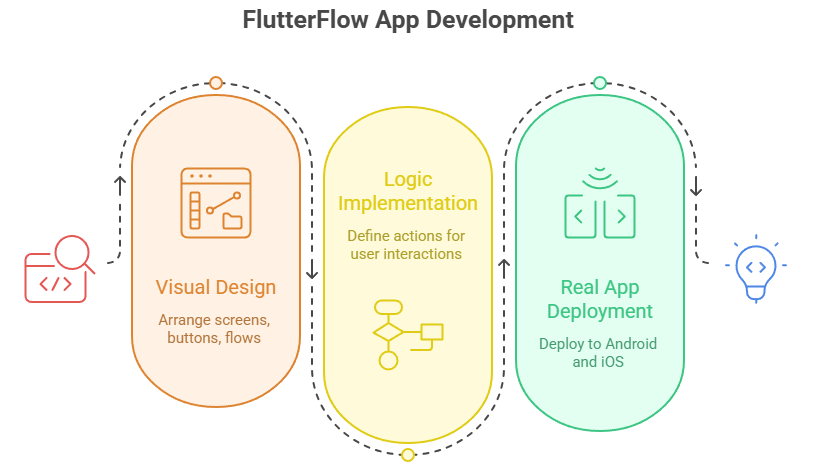
Instead of writing functions and debugging errors, you’re arranging things visually. Screens, buttons, flows… everything is right there in front of you.
You create a screen. Add a button. Decide what happens when someone taps it. That’s your logic.
And yes, it’s still a real app. Not a mockup.
FlutterFlow runs on Flutter underneath, so what you build can actually go live on Android and iOS. That’s the part most people don’t expect.
But here’s where beginners get confused, it’s “no-code,” not “no thinking.”
You still need to figure out:
- where users land first
- what happens after login
- how data moves between screens
The tool won’t decide that for you.
It just removes the technical friction. You don’t get stuck on syntax or setup, you stay focused on building.
That’s why FlutterFlow app development clicks for a lot of first-time founders. It feels closer to designing a product than engineering one.
3. Before You Start: What Do You Actually Need to Build an App?
Jumping straight into building is where most people get stuck.
Before you try to build app without coding, pause for a minute. You don’t need a full plan, just clarity on a few basics:
What problem are you solving?
Who is it for?
What’s the one core feature?
That’s your starting point.
Trying to build everything at once slows you down. Instead, focus on a simple version people can actually use. If it works, you improve it later. If it doesn’t, you’ve saved time.
Tools can help you build faster. They won’t fix a confusing idea.
4. Building Your First App: A Practical Walkthrough
This is where things start to feel real.
If you want to build mobile app without coding, don’t think in features, think in screens. That shift alone makes the process much easier.
Start with the basics:
- Login
- Home
- One core feature screen
That’s enough for a first version.
Then move into the UI. Drag elements, adjust layout, keep it simple. Clean screens beat fancy ones every time. If users don’t understand what to do in 3 seconds, the design isn’t working.
Next comes logic.
You’re not writing code, but you are deciding behavior:
- Tap a button → go to next screen
- Submit form → save data
- Login → redirect to home
It’s simple, but it matters.
This is where most beginners hesitate. But once you set a few flows, it starts clicking.
The goal isn’t perfection. It’s movement. Build something that works, even if it’s rough.
That’s how you actually build app without coding, one screen, one action at a time.

5. Key FlutterFlow Features That Actually Matter
You don’t need to learn everything. Most people try, and get overwhelmed.
Focus on a few FlutterFlow features that actually help you build:
- Visual builder — design screens without coding
- Actions & flows — control what happens when users interact
- Backend integration — connect data (usually via Firebase)
- Pre-built components — speed up UI instead of building from scratch
That’s enough to get a working app.
Everything else? Nice to have later.
A common mistake is exploring too many options early, animations, complex layouts, advanced logic. It feels productive, but it slows you down.
Instead, stick to the basics until your app works end-to-end.
Once users can sign up, use your core feature, and see results, you’re in a good place.
That’s how you approach FlutterFlow app development without getting stuck.
6. Backend, Data, and User Management Explained Simply
At some point, every app needs data. Users sign up, information gets stored, things update.
This is where most beginners think they’ll get stuck. Surprisingly, it’s not that complicated.
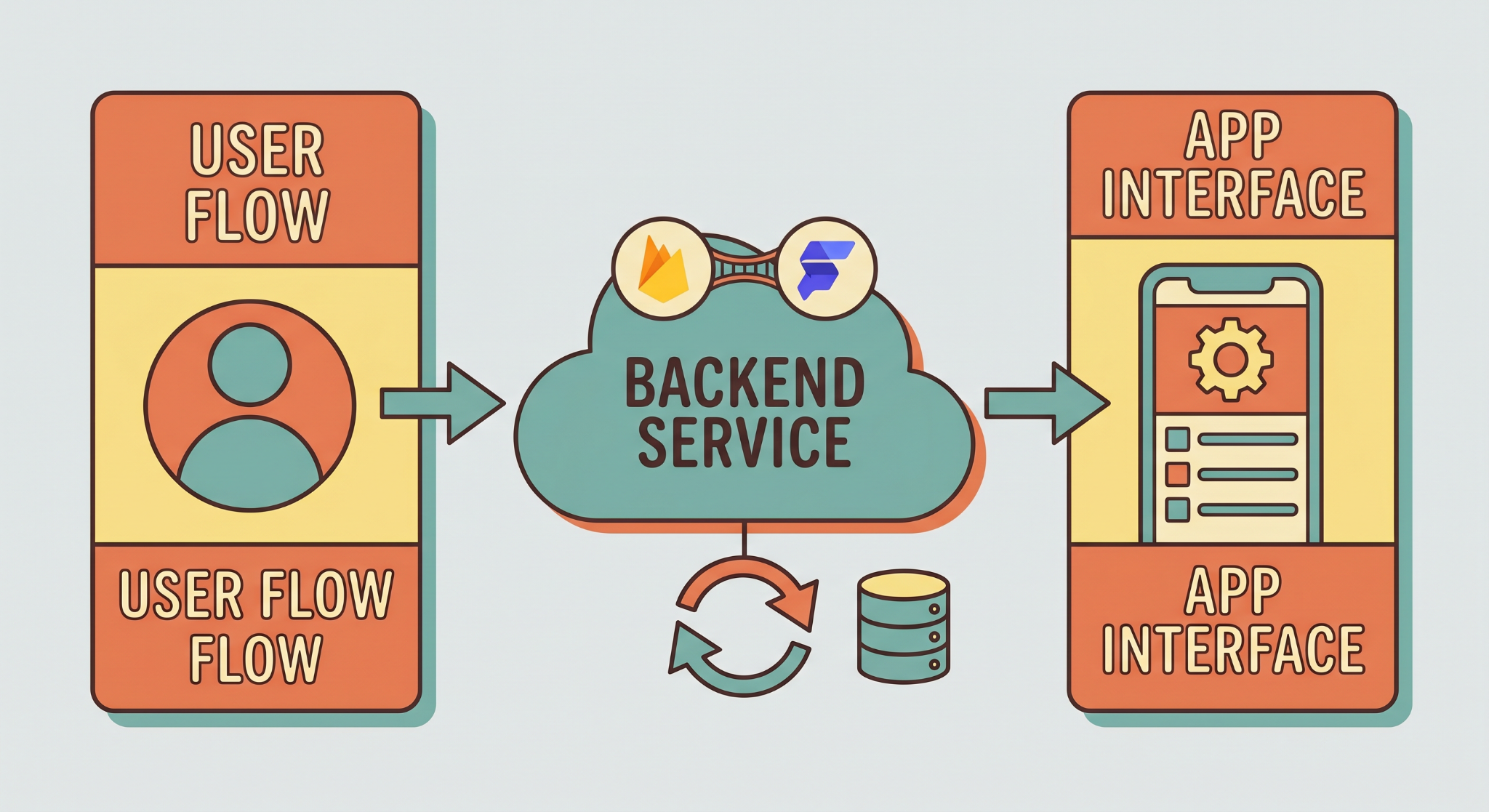
With FlutterFlow, you usually connect a backend like Firebase. You don’t set up servers or write backend code, you just define what data you want to store and how it’s used.
Think of it like this:
- User signs up → their details are saved
- User logs in → their data is fetched
- User takes action → data updates
That’s the flow.
You’re still deciding what gets stored and when, it’s just done visually instead of technically.
For most early-stage apps, this is enough. You don’t need a complex backend to get started. You just need something that works reliably.|
7. Do You Need a Developer at Any Stage?
Short answer: not at the beginning.
Most early-stage apps can be built solo, especially with tools designed for FlutterFlow for non-technical founders. You can design screens, set up flows, and launch something usable without hiring a developer.
That said, this is where teams like Arixlabs (previously FlutterFlowDevs) often come in.
Not at the idea stage, but a bit later.
Once your app starts growing, you might need:
- Custom integrations
- Cleaner architecture
- Performance improvements
This is where working with experts helps. Instead of figuring everything out alone, you get guidance on what to fix, what to improve, and what to ignore.
The important part is timing.
You don’t need a developer to start. You might need one to scale. And by then, you’ll have clarity, real users, real feedback, real direction.
So yes, you can build on your own.
But you don’t have to do everything alone forever.
8. Timeline: How Long Does It Take to Build an App?
It depends, but not in the vague way people usually say it.
If you’re focused and building something simple, you can get a working version in days. Not months. That’s the biggest advantage when you build app without coding.
A basic flow, login, one main feature, simple data, can come together surprisingly fast.
But timelines stretch when:
- You keep adding features
- You redesign screens repeatedly
- You try to perfect everything before launch
That’s where most delays happen.
A more realistic approach?
Build a usable version first. Then improve it.
For many founders, the first version takes 1–2 weeks if they stay focused. After that, it’s all iteration.
That’s how FlutterFlow app development actually speeds things up, not by removing effort, but by removing delays.
9. From Idea to Launch: Can You Build a Startup with FlutterFlow?
Yes, but only if you treat it like a process, not a one-time build.
Most founders don’t fail because of tools. They fail because they build in isolation, then launch too late.
With FlutterFlow app development, the advantage is speed. You can go from idea → working app → real feedback quickly. That changes how you build.
Instead of guessing what users want, you test it.
A simple loop works:
- Build a basic version
- Let real users try it
- Notice what they struggle with
- Improve only what matters
That’s how you move forward.
If your app solves a real problem, even a simple version can gain traction. If it doesn’t, you’ll find out early, without wasting months.
And that’s the real win.
Not just that you can build mobile app without coding, but that you can test ideas faster than ever before.
10. Conclusion
You don’t need to wait anymore.
What used to take a team, time, and a big budget can now be done solo, if you’re willing to learn and build step by step. Tools have made it easier to build app without coding, but they haven’t removed the need for clear thinking.
That part is still yours.
If you stay focused on solving a real problem, keep your first version simple, and improve based on real feedback, you can go from idea to working app much faster than before.
That’s what FlutterFlow app development really offers, not shortcuts, but speed with control.
%20(1).jpg)

View more blogs

.png)





.png)

.png)
Ready to develop your own product? Get in touch today!
Get in Touch